HomePayment SolutionsOur Equipment
Our Equipment
Card Payment Equipment for Your Business
Edge is a dual-price program: you post signs telling customers about it, and you show either both prices, cash and card, or the card price only, following your state’s rules.
Reliable, secure hardware ready for in-person and online payments, managed with modern portal tools designed for business owners.
How Edge works
Edge is a dual-price program
Edge is a dual-price program: you post signs telling customers about it, and you show either both prices, cash and card, or the card price only, following your state’s rules.
What Edge is
Edge is a unique program that supports a dual-price model for all goods and services, allowing businesses to experience the same profit margins on all transactions.
Know the rules before you sign
The rules on posting two prices come from your state and from the card brands, and they are not the same everywhere. Before you sign, we walk you through what your state and the card brands publish. We are not a law firm, and whether a rule applies to your business is your decision.
Approval and your software plan
You still have to be approved. Your rate is set when your application is underwritten. Payanywhere smart devices run on a monthly software plan, due whether the device is placed or bought; the 3-in-1 Reader has none. For other devices, ask us what applies to your setup. Each device’s price and software fee are in the price table.
Placed or bought
Equipment Grouped by How You Sell
Payanywhere smart devices run on a monthly software plan that pays for the software and support, not the hardware, so it is due whether the device is placed or bought. Each device’s price and software fee are in the price table.
Ingenico DESK 3500, a classic terminal with a built-in printer.
Handheld and countertop basicsSmart Terminal Mini, Smart Terminal, Smart Keypad.
Customer-facing screenSmart PINPad Pro, Smart Flex.
Full countertop point of salePayanywhere Core.
What the Payanywhere software plan covers. The monthly software plan pays for the Payanywhere software on the device, its back-end system for managing your sales, and 24/7 support. Payanywhere smart devices run on a monthly software plan, due whether the device is placed or bought; the 3-in-1 Reader has none. For other devices, ask us what applies to your setup.
Looking for a classic terminal or a PIN pad? See the Ingenico DESK 3500 or the terminals and PIN pads you can buy outright.
Equipment selection
Which Device Fits Your Business?
Start from how you take payments. Each pick links to its full details below, and we confirm the right fit with you before anything ships.
| If you… | We suggest | Why |
|---|---|---|
| Take payment at the table or the bar | Smart Terminal | Handheld with a built-in receipt printer |
| Sell from a food truck, market stall or delivery route | Smart Terminal Mini | Pocket size with 4G LTE, so it works without Wi-Fi |
| Run a fixed counter with a wired connection | Smart Keypad | Countertop terminal with keys, printer and Ethernet |
| Want customers to see the total and enter their own PIN | Smart PINPad Pro | A customer-facing PIN pad beside your terminal |
| Need a customer screen at the counter and on the floor | Smart Flex | Two screens in one device, with 4G and a printer |
| Run a busy storefront with an item list, cash drawer and scanner | Payanywhere Core | 11″ point of sale with an attached printer |
| Want a simple countertop terminal | Ingenico DESK 3500 | Classic terminal with a built-in printer |
| Run a lane or register that needs a customer PIN pad | Lane 3000, Lane 7000 or PAX A35 | PIN pads for an existing register or POS system |
| Only sell now and then, from your phone | 3-in-1 Bluetooth Reader | Pairs with the Payanywhere app; bought, not placed |
| Need a full restaurant or retail system | POS Pros partners | Table, inventory and loyalty software from North’s POS partners |
Basic countertop terminal
A Classic Countertop Terminal
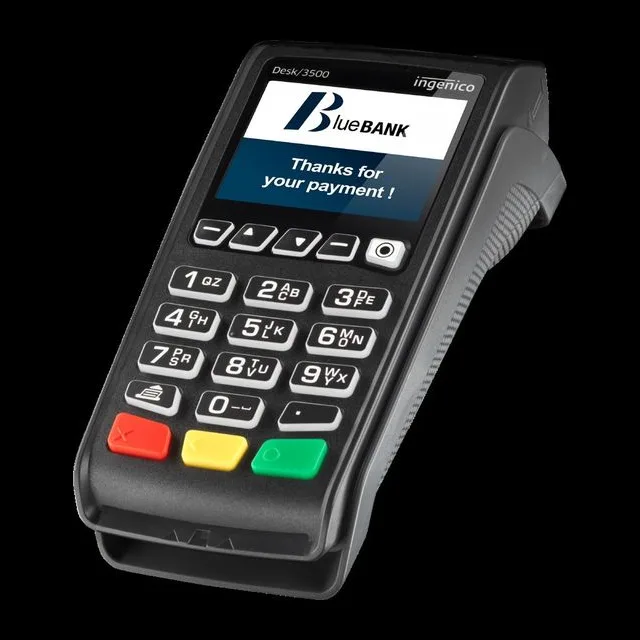
Ingenico DESK 3500
A classic countertop terminal for businesses that just need to take cards and print receipts.
- 2.8″ backlit screen with keypad.
- Chip, tap and swipe.
- Built-in thermal receipt printer.
- Ethernet and dial-up; Wi-Fi model available.
Placement terms below apply. To buy one outright instead, ask us. It is not on the Payanywhere sell sheet, so ask us for its price and any monthly fee before you apply.
Payanywhere software plan
Handheld and Countertop Basics
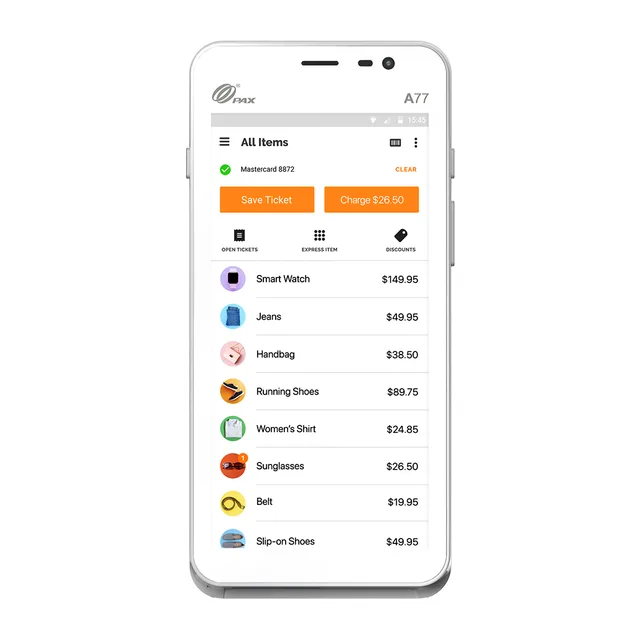
Smart Terminal Mini (PAX A77)
A pocket-size smart terminal for counter service, pop-ups and deliveries.
- 5.5″ touchscreen.
- Chip, tap and swipe.
- 4G LTE, dual-band Wi-Fi and Bluetooth.
- Weighs 7.9 oz.
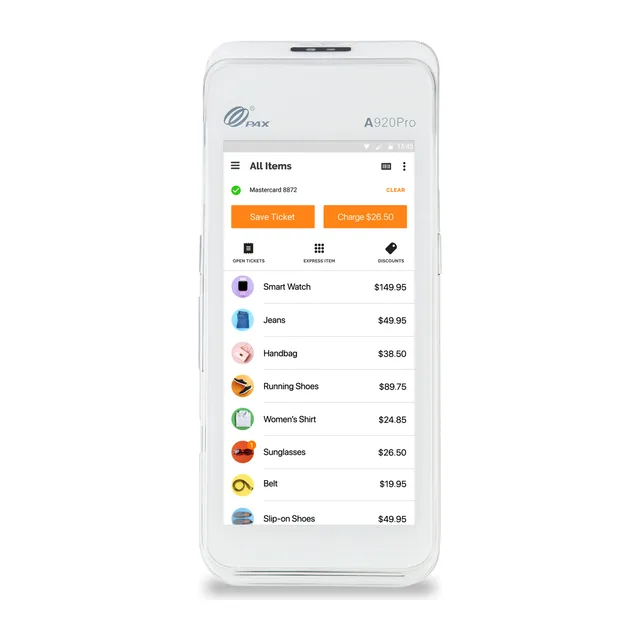
Smart Terminal (PAX A920 Pro)
An all-in-one handheld with a built-in receipt printer.
- 5.5″ touchscreen and 2″ thermal printer.
- Chip, tap and swipe.
- 4G LTE, dual-band Wi-Fi and Bluetooth.
- Rear camera and scanner for barcodes.
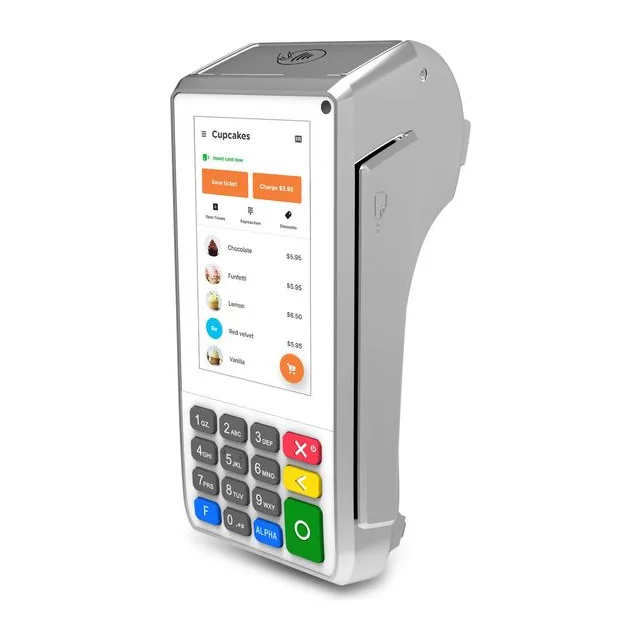
Smart Keypad (PAX A80)
A classic countertop terminal with a touchscreen and physical keys.
- 4″ touchscreen with numeric keypad.
- Built-in receipt printer.
- Chip, tap and swipe.
- Ethernet connection.
Payanywhere software plan
A Screen for You and One for Your Customer
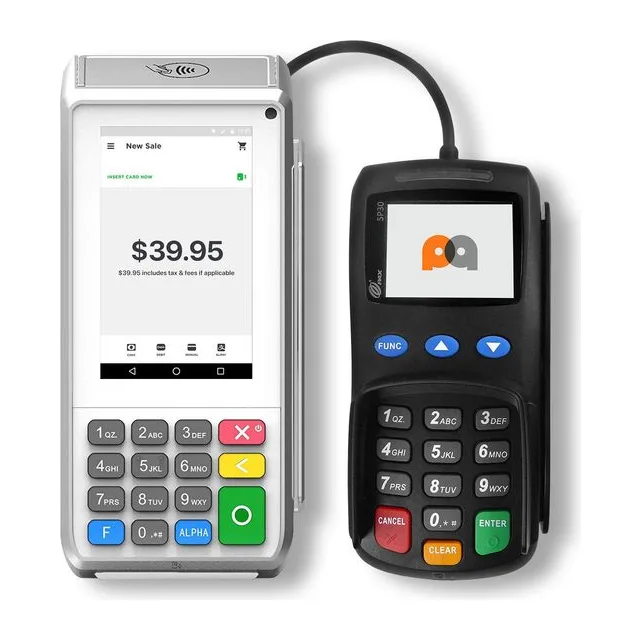
Smart PINPad Pro (PAX A80 + SP30)
The Smart Keypad paired with a customer-facing PIN pad.
- 4″ merchant touchscreen and 2.4″ customer display.
- Built-in receipt printer.
- Chip, tap and swipe on both devices.
- Wi-Fi and Ethernet.
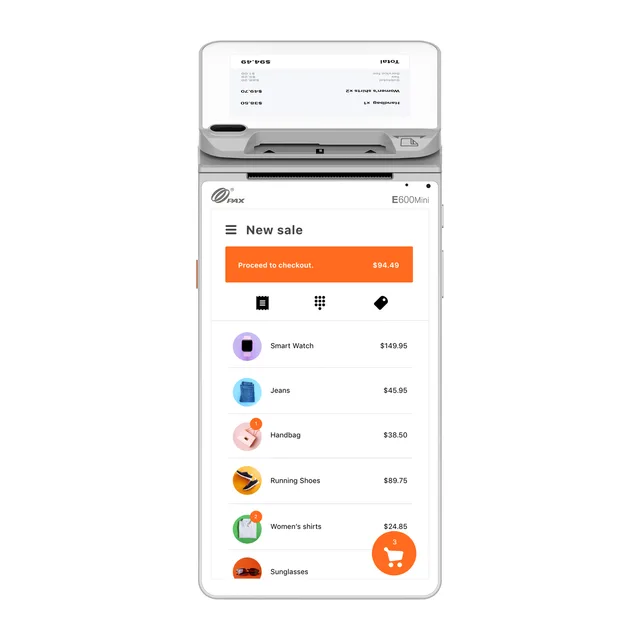
Smart Flex (PAX E600 Mini)
A dual-screen terminal that works on the counter or in hand.
- 7″ merchant touchscreen and 3.5″ customer touchscreen.
- Built-in receipt printer.
- Chip and PIN, tap and swipe.
- 4G, dual-band Wi-Fi and Bluetooth.
Payanywhere software plan
Full Countertop Point of Sale
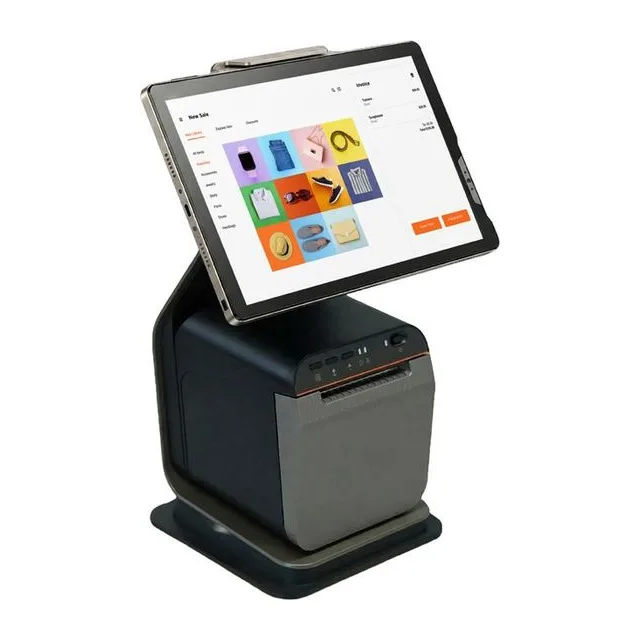
Payanywhere Core
A full point of sale station with a large screen and an attached printer.
- 11″ touchscreen.
- Attached 80mm receipt printer.
- Chip, tap, swipe and PIN.
- 4G, dual-band Wi-Fi and Bluetooth.
- Rear camera for barcode scanning. Cash drawer and scanner sold separately.
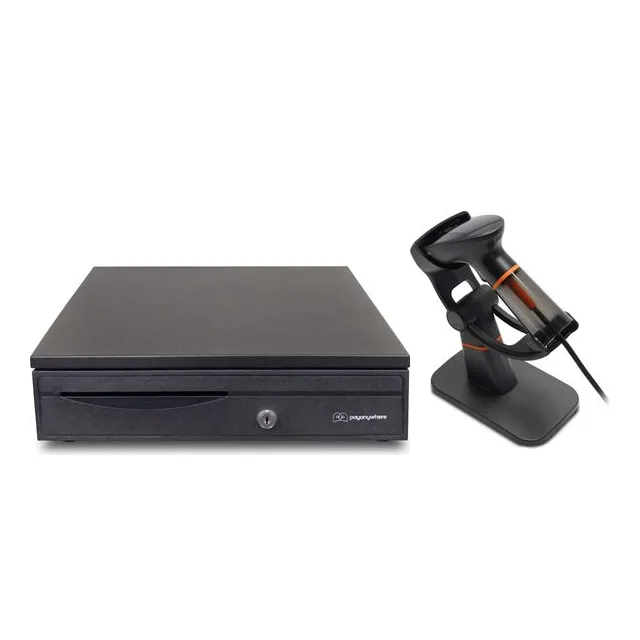
Core Accessories
Build the Core out into a full register. Accessories are not part of placement; ask us about them.
- Payanywhere cash drawer.
- Core barcode scanner with stand.
- Also supported: Star Micronics SP742 kitchen printer, SocketScan S720 and S740 Bluetooth scanners.
Payanywhere prices
Device Prices and Software Fees
From Payanywhere’s Smart Solutions sell sheet, version 10/2026. Software fees apply per device and per merchant account.
| Device | Buy it | Free placement | One-time setup fee | Software fee a month, per device |
|---|---|---|---|---|
| 3-in-1 Reader | $77.95 | No | None | None |
| Smart Terminal Mini (PAX A77) | $150.95 | Yes | None | $24.95 |
| Smart Terminal (PAX A920 Pro) | $349.95 | Yes | None | $24.95 |
| Smart PINPad Pro (PAX A80 + SP30) | $449.95 | Yes | $49.95 | $34.95 |
| Smart Flex (PAX E600 Mini) | $549.95 | Yes | $49.95 | $34.95 |
| Payanywhere Core (Sunmi CPad Pay) | $949.95 | Yes | $99.95 | $54.95 |
Software fees apply to each device and to each merchant account: two terminals on one account pay two software fees, and one terminal on each of two accounts also pays two. Free placement is for qualifying new accounts, one device per physical business location, and you still have to be approved. A device placed at no cost stays the property of North, our processing partner. A device you buy is yours. The Smart Keypad, the Ingenico DESK 3500 and the terminals you own below are not on the sell sheet: ask us. Your processing rate is set when your application is underwritten.
Placement terms
Qualifying new accounts approved by our processing partner, North, can have one device placed per physical business location. You still have to be approved. Payanywhere smart devices run on a monthly software plan, due whether the device is placed or bought; the 3-in-1 Reader has none. For other devices, ask us what applies to your setup. Each device’s price and software fee are in the price table. Call us for the other terms of your account before you apply. A device placed at no cost stays the property of North, our processing partner. A device you buy is yours. Device details are from the manufacturers’ and North’s spec sheets.
Buy outright
Terminals and PIN Pads You Own
These devices do not run the Payanywhere software. They are bought once and run on your processing account. Ask us for current pricing and what applies to your setup.
Countertop terminals
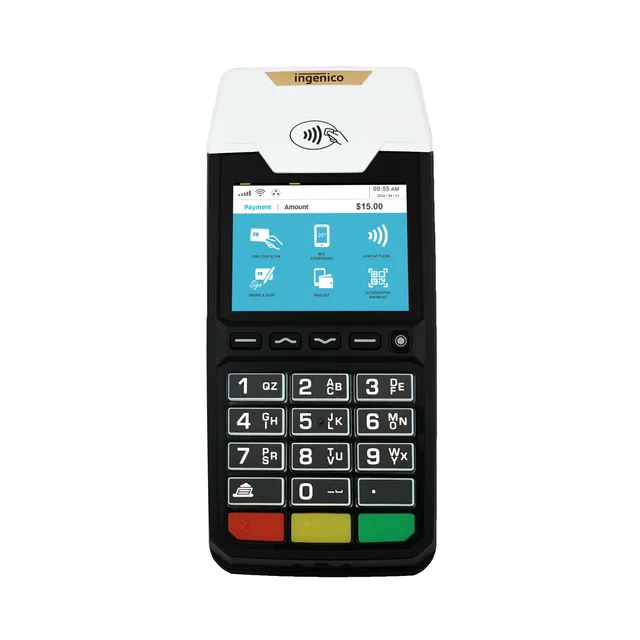
Ingenico DESK 2600
- 2.8″ screen.
- Chip, tap and swipe.
- Wi-Fi, 4G and Bluetooth; Ethernet with the optional base.
- Battery back-up.
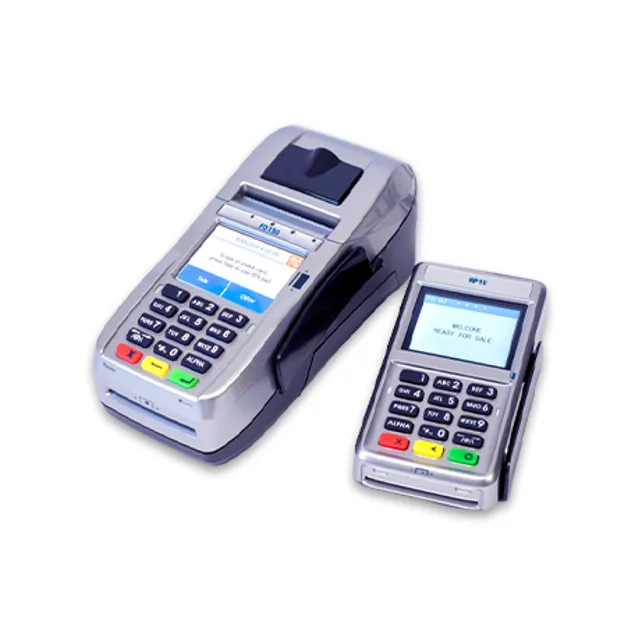
FD150 Terminal
- Touchscreen countertop terminal with built-in printer.
- Chip and contactless; debit and EBT.
- IP, dial-up or Wi-Fi.
- Pairs with the RP10 PIN pad (shown).
PIN pads
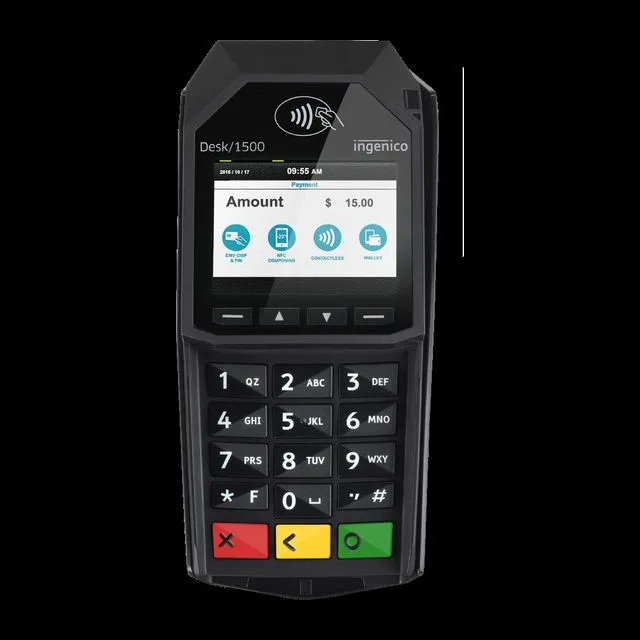
Ingenico DESK 1500
- Customer-facing PIN pad for Desk terminals.
- 2.8″ colour screen.
- Chip, tap and swipe.
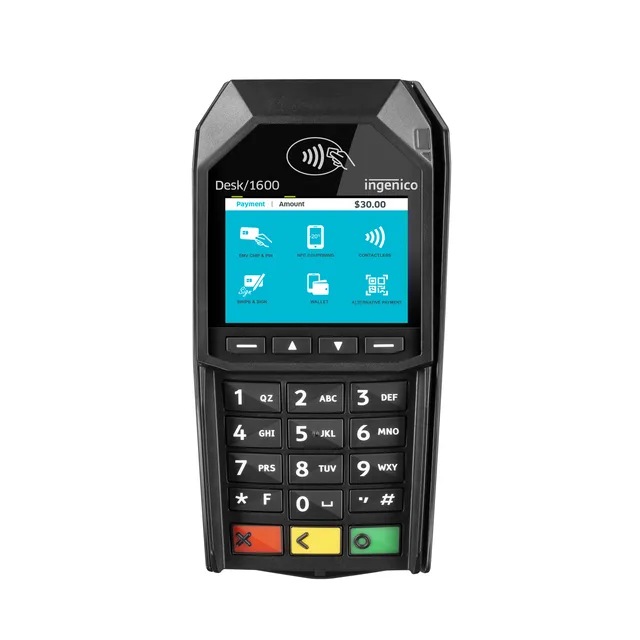
Ingenico DESK 1600
- Smart customer-facing PIN pad.
- 2.8″ colour screen and 15-key keypad.
- Chip, tap and swipe.
No manufacturer photo available for this model.
Ingenico Lane 3000
- Retail PIN pad for a register or POS system.
- 2.8″ screen.
- Chip, tap and swipe.
- Ethernet and USB; Wi-Fi and Bluetooth optional.
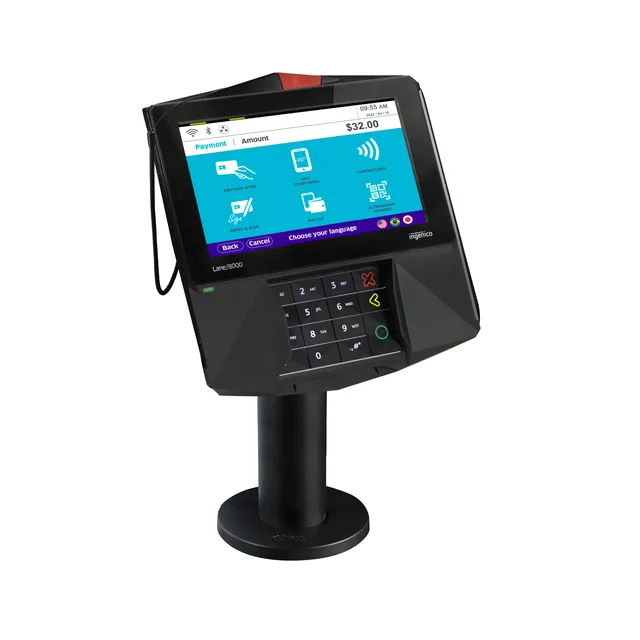
Ingenico Lane 7000
- Retail PIN pad with a 5″ touchscreen.
- Chip, tap and swipe.
- Optional camera for QR codes.
- Ethernet and USB; Wi-Fi and Bluetooth optional.
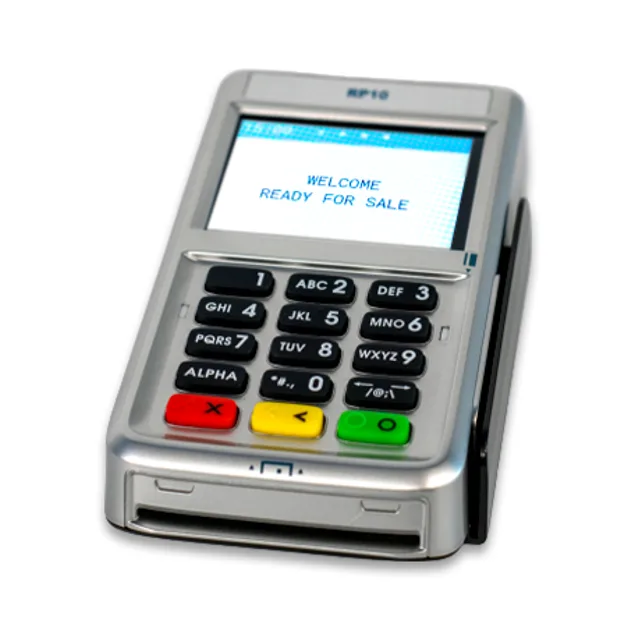
RP10 PIN Pad
- Companion PIN pad for the FD150.
- Contactless and mobile wallets.
- PIN debit and gift cards.
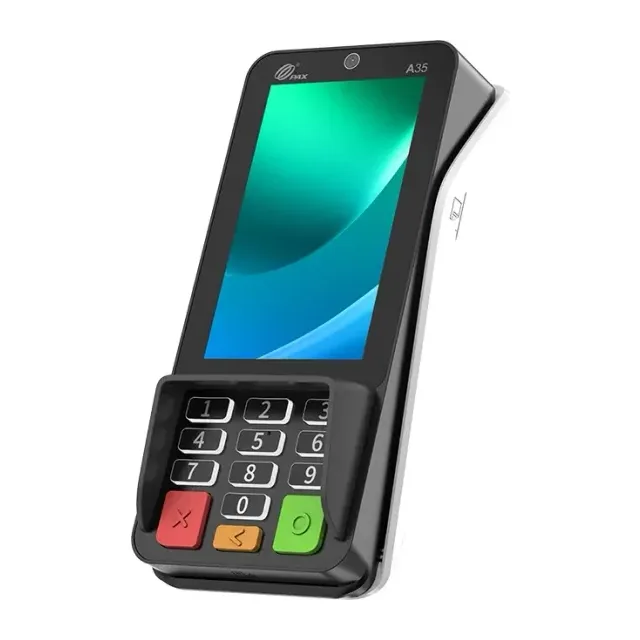
PAX A35
- Android PIN pad with a 4″ touchscreen.
- Chip, tap, swipe and QR codes.
- Wi-Fi, Ethernet and Bluetooth.
Wireless terminals and phone reader
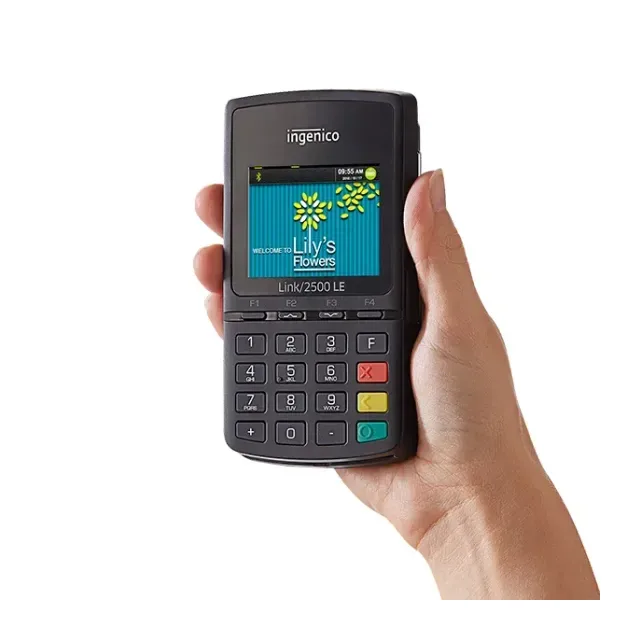
Ingenico Link 2500
- Pocket-size portable terminal.
- 2.4″ colour screen.
- Chip and PIN, tap and swipe.
- 4G, Wi-Fi and Bluetooth options; removable battery.
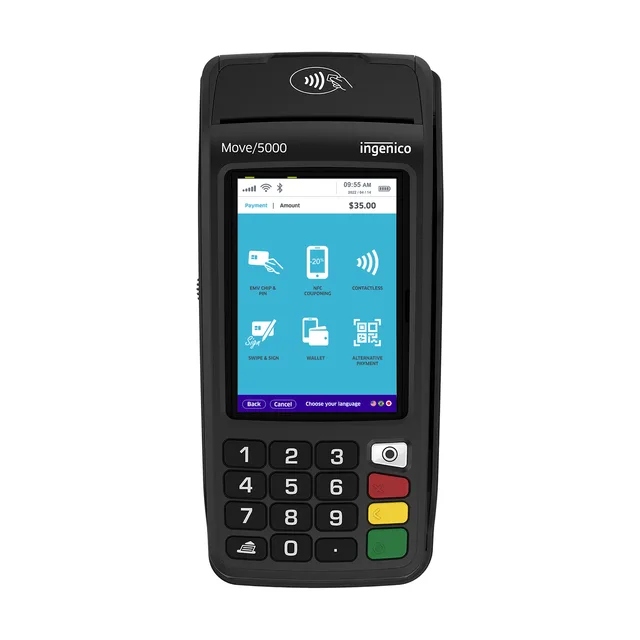
Ingenico Move 5000
- Portable terminal with a 3.5″ touchscreen.
- Built-in receipt printer.
- Chip and PIN, tap, swipe, wallets and QR codes.
- 4G, Wi-Fi and Bluetooth.
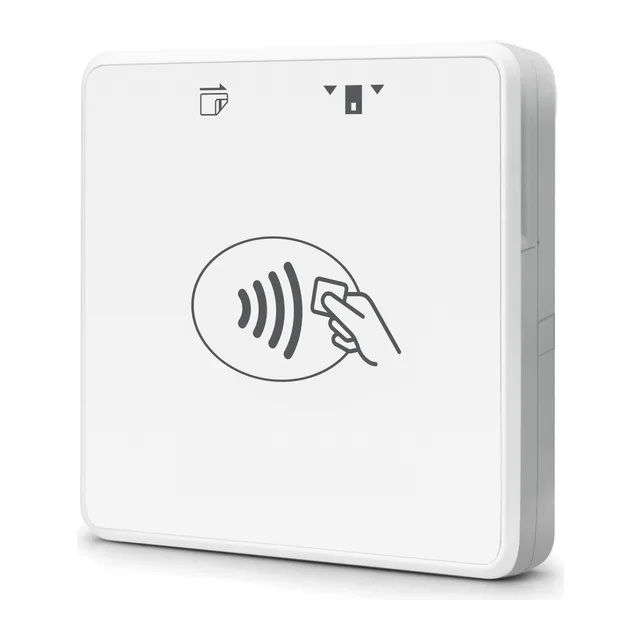
Payanywhere 3-in-1 Reader
- Bluetooth reader for iPhone and Android.
- Works with the Payanywhere app.
- Chip, tap and swipe.
About purchased equipment
The Ingenico, FD150, RP10 and PAX devices are refurbished units; the 3-in-1 Reader is a new unit. Purchased equipment is yours to keep. Payanywhere smart devices run on a monthly software plan, due whether the device is placed or bought; the 3-in-1 Reader has none. For other devices, ask us what applies to your setup. Each device’s price and software fee are in the price table. Product images come from each manufacturer and are for illustration only: the unit you receive may differ in colour, branding or model generation. Device details are from the manufacturers’ published specifications.
Full point of sale systems
POS Pros: Software Built for Your Industry
When a terminal is not enough, North’s POS Pros partners provide complete systems with tables, inventory, loyalty and online ordering. We help you choose one and quote it for your business.
Restaurant systems
- Salido: restaurant POS by North.
- Micros: for restaurants, hotels, stadiums and more.
- Paradise POS: iPad-based ordering and inventory.
- HotSauce: hospitality software since 1998.
- Mynt: subscription hardware and software for hospitality.
- KwickPOS and Foodhub: online ordering, delivery and pay at the table.
Retail systems
- Retail Cloud: cloud POS for Android and Windows.
- Korona POS: inventory, loyalty and online ordering for multi-location, liquor and vape stores.
- Paradise POS and Greta: inventory, barcode scanning and loyalty.
Specialty systems
- Growthzilla: appointments, payments and memberships for salons and spas.
- GiveHub: donations for churches and nonprofits.
- Applova: self-order kiosks.
Four steps
Get Started in Four Simple Steps
Apply Online
Complete the paperless application. You still have to be approved, and your rate is set when your application is underwritten.
Select Device
We’ll help you select the right hardware and provision it for your business.
Accept Payments
Take payments in-store, mobile, or curbside, and track everything in your merchant portal.
Get Funded
Deposits follow the schedule set up with your account, with ongoing support from our team.
Before you apply
Talk it through first
Call us and we will walk through which device fits, how Edge would work for your business, the rules on posting two prices where you are, and the monthly software plan. Each device’s price and software fee are in the price table.
The details
Compare the Payanywhere Devices
| Device | Screen | Printer | Connection |
|---|---|---|---|
| Ingenico DESK 3500 | 2.8″ with keypad | Built in | Ethernet, dial-up; Wi-Fi model |
| Smart Terminal Mini (A77) | 5.5″ | No | 4G, Wi-Fi, Bluetooth |
| Smart Terminal (A920 Pro) | 5.5″ | Built in | 4G, Wi-Fi, Bluetooth |
| Smart Keypad (A80) | 4″ with keypad | Built in | Ethernet |
| Smart PINPad Pro (A80 + SP30) | 4″ plus 2.4″ customer display | Built in | Wi-Fi, Ethernet |
| Smart Flex (E600 Mini) | 7″ plus 3.5″ customer display | Built in | 4G, Wi-Fi, Bluetooth |
| Payanywhere Core | 11″ | Attached, 80mm | 4G, Wi-Fi, Bluetooth |
Payanywhere smart devices run on a monthly software plan, due whether the device is placed or bought; the 3-in-1 Reader has none. For other devices, ask us what applies to your setup. Each device’s price and software fee are in the price table. Every device takes chip, tap and swipe. Full specifications are in each device’s spec sheet above.
Straight answers